ChatGPT Atlas: The AI Powered Browser for Small Business | Complete Guide
Let's be honest when was the last time your browser actually helped you work smarter? Most of us spend our days juggling a dozen tabs, copy pasting between ChatGPT and our projects, and constantly switching contexts just to get simple tasks done. For creative professionals and small business owners, this fragmented workflow isn't just annoying it's costing you time, focus, and momentum.
The browser hasn't fundamentally changed in years. Sure, we've gotten faster load times and better extensions, but the core experience? Still the same tab hopping chaos we've dealt with for over a decade.
Enter ChatGPT Atlas a reimagined browser built with ChatGPT intelligence baked right into its foundation. Instead of treating AI as an afterthought or a separate tool you visit, Atlas makes it your "co-pilot" for everything you do online.
Research a competitor? Atlas can summarize and analyze. Drafting campaign copy? Get instant feedback without leaving your workflow. Managing client projects? Let AI help you synthesize information and spot opportunities you might have missed.
For creative teams and agencies racing to stay ahead, Atlas isn't just another tool it's a fundamental rethinking of how we work on the web. Let's explore what that actually means for your daily workflow.
What Is ChatGPT Atlas?
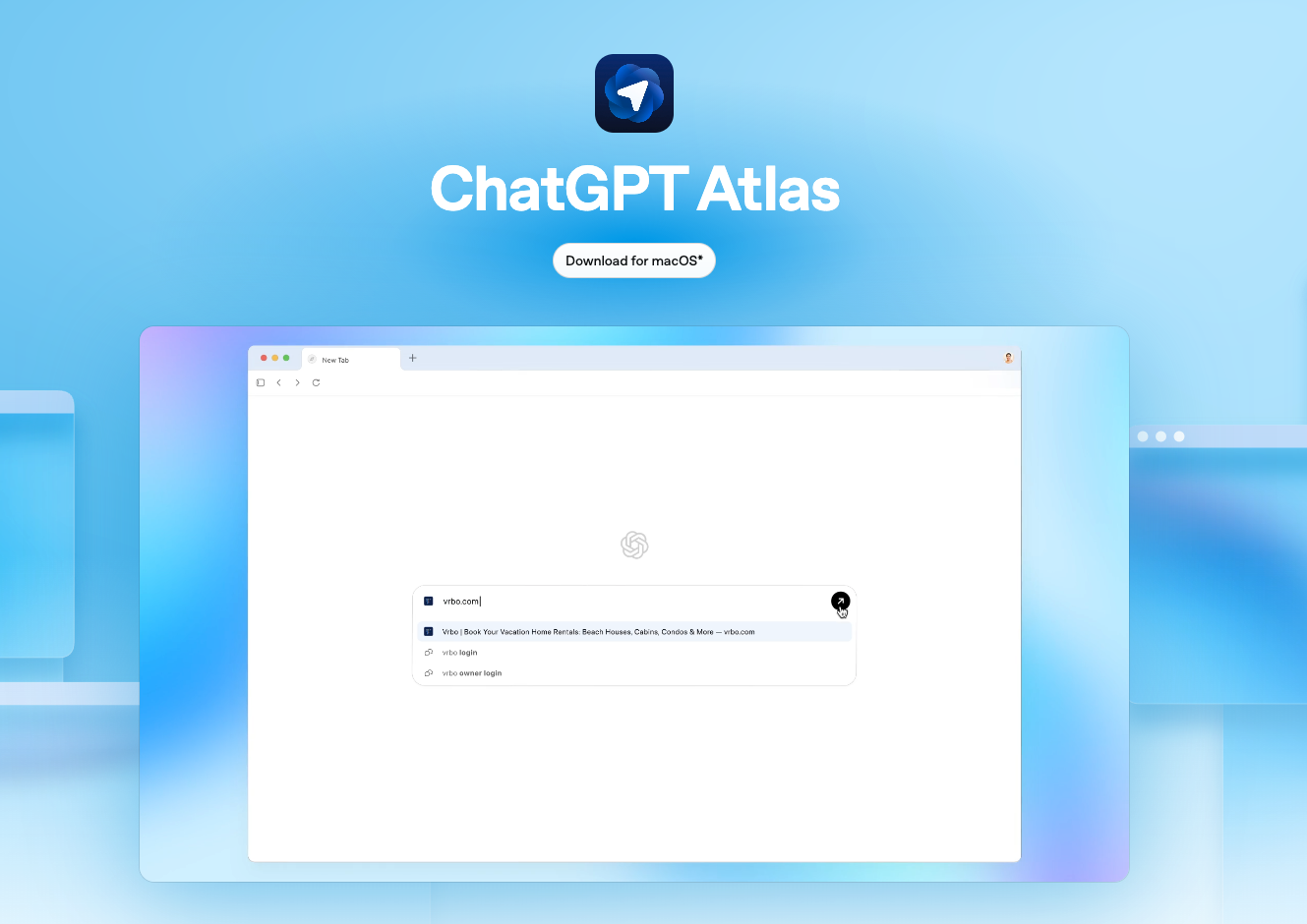
ChatGPT Atlas is a web browser developed by OpenAI that is built on the
Chromium framework. Think of ChatGPT Atlas as having a brilliant research assistant who sits beside you while you browse except this assistant actually remembers everything you've worked on, learns your preferences, and can handle tedious tasks autonomously.
At its core, Atlas is a full featured web browser, but unlike Chrome or Safari with ChatGPT open in a tab, the AI is woven into the browser's DNA. It's always there when you need it, contextually aware of what you're doing, and ready to jump in without disrupting your flow.
How Chromium powers Atlas:
- Chromium provides the core engine, known as the
Blink rendering engine, that handles most of the web browser's basic functions:
- Web standards support: It ensures that Atlas is compatible with all modern websites and web applications.
- Browsing functionality: It provides the foundation for standard browser features like tabs, the address bar, bookmarks, and password management.
- Performance and security: The open source nature of Chromium allows for continuous development and security improvements.
OpenAI's custom additions:
- OpenAI has customized the Chromium framework to integrate its AI capabilities directly into the browsing experience:
- Persistent AI sidebar: Unlike a standard extension, ChatGPT is integrated into a persistent sidebar that can analyze and summarize content on any webpage you are viewing.
- Agent mode: Available for paid subscribers, this advanced feature allows the AI to perform complex, multi-step tasks on your behalf, such as researching products across different websites.
- Memory and context: Atlas includes an opt in feature called "Browser Memories" that allows ChatGPT to remember insights from your browsing history to provide more personalized assistance.
Here's what makes it different:
- Built in Intelligence: ChatGPT isn't a separate destination it's integrated into your browsing experience. Highlight text on any page and instantly get summaries, analysis, or creative alternatives. No more tab switching gymnastics.
- Persistent Memory: Atlas remembers your past research, preferences, and projects. Ask it about "that competitor analysis from last week" and it knows exactly what you mean. It's like having a colleague who actually reads the meeting notes.
- Agent Mode: This is where things get powerful. Atlas can autonomously handle multi step tasks researching trends across multiple sites, comparing pricing, gathering competitor examples, or compiling inspiration boards. You set the goal; Atlas does the legwork.
- Full Transparency and Control: Worried about privacy? You decide what Atlas remembers and what it forgets. Review your history, adjust permissions, and maintain complete visibility into what the AI knows about your work.
The result? Less time wrangling tools, more time creating.
ChatGPT Atlas in Action with Sample Prompts
Let's walk through a typical Tuesday morning for a creative team planning a product launch.
Scenario 1: Competitor Research
You're analyzing a competitor's recent campaign. Instead of opening ChatGPT in another tab and pasting URLs, you simply browse their site while Atlas watches in the background. It's building context from every page you visit their messaging, design choices, pricing strategy. When you're ready, just ask:
"What's their main value proposition, and how does it differ from ours?" Atlas synthesizes everything you've browsed and delivers a coherent analysis. No copy pasting required.
Scenario 2: Hiring for Your Team
You're skimming through dozens of job postings to understand what skills competitors are prioritizing. As you browse, Atlas remembers each listing. Ask it to
"summarize the top 5 skills these companies want" and it compiles insights from all the pages in your memory saving you from manual note taking.
Scenario 3: Launch Planning with Agent Mode
Here's where it gets interesting. You need inspiration for packaging design trends in your industry. Instead of manually visiting site after site, you activate agent mode:
"Find 10 examples of minimalist packaging in sustainable beauty brands launched in 2024." Atlas autonomously navigates the web, visits relevant sites, captures examples, and presents them organized and ready for your mood board.
Your Privacy, Your Rules
Concerned about sensitive client work? Atlas gives you complete control.
Toggle incognito mode for confidential browsing nothing gets remembered. Review your browser memories anytime and delete what you don't want stored. Adjust which sites Atlas can access and what information it retains.
It's like having a research assistant who respects boundaries while dramatically cutting down your grunt work.
Why This Matters for Small Business
If you've ever had 47 browser tabs open while desperately trying to remember which one had that perfect reference image, you already understand the problem Atlas solves.
For creative professionals and small business owners, the integration isn't just convenient it fundamentally changes how you work:
- Less context switching, more flow state. Stop interrupting your creative process to jump between tools. Highlight a headline you're writing and instantly get alternative angles. Review a landing page and ask for conversion optimization ideas without leaving the page.
- Carry context across your entire project. Atlas remembers the brand guidelines you reviewed Monday, the competitor analysis from Tuesday, and the target audience research from Wednesday. When you're brainstorming Friday's campaign concept, all that context informs the AI's suggestions no need to re-explain everything.
- Accelerate the messy middle of creative work. The research phase, the inspiration gathering, the "I need 20 examples of this specific thing" these tasks take hours. With agent mode handling the legwork, you spend more time on actual creative thinking and less time being your own research assistant.
- Practical implications for small business: Onboard new team members faster by letting them explore past campaign research through Atlas's memory. Maintain continuity when someone's on vacation the browser remembers the client context even if the person stepping in doesn't. Standardize research quality across your team without creating rigid processes.
The browser stops being passive infrastructure and becomes an active participant in your creative workflow. That shift matters.
What to Keep in Mind
ChatGPT Atlas is powerful, but like any new tool, it deserves a thoughtful rollout not blind adoption.
Atlas launched first on macOS as a preview, which means you're essentially beta testing. Expect occasional hiccups, feature gaps, and updates that change how things work. If your team relies on Windows or Linux, you'll need to wait.
Agent mode isn't infallible. When Atlas autonomously browses and gathers information, it can misinterpret instructions, miss nuance, or pull irrelevant examples. Always review what it returns before incorporating it into client work. Think of it as a junior researcher helpful, but requiring oversight.
Memory is a feature you control. The browser remembers what you let it remember. Review your settings early, decide what's off limits (client NDAs, sensitive strategy docs), and use incognito mode liberally for confidential work.
Start small, learn the boundaries. Don't immediately hand Atlas your most critical campaign research. Test it on lower stakes projects first blog research, trend monitoring, internal brainstorms. Learn where it excels and where it stumbles.
Monitor, don't assume. Especially in agent mode, verify sources, check for hallucinations, and confirm facts before presenting findings to clients or stakeholders.
Thoughtful adoption beats enthusiastic chaos every time.
Getting Started with ChatGPT Atlas
Ready to test drive Atlas with your team? Here's a practical roadmap:
1. Download and set up.
Grab Atlas for macOS, import your bookmarks and settings. Get comfortable with the interface before diving into projects.
2. Configure your privacy preferences. Decide which sites and projects Atlas can remember. Set incognito as your default for client work if needed.
3. Choose one pilot workflow. Don't overhaul everything at once. Pick a single use case maybe competitive research for an upcoming pitch, or gathering design inspiration for a rebrand. Keep it contained.
4. Run a team trial. Have 2-3 people use Atlas for that specific workflow over a week. Document what works, what frustrates, and where it saves time.
5. Compare and assess. Did it actually streamline your process? Where did agent mode shine or stumble? What surprised you?
6. Decide and expand or don't. Based on real results, determine if Atlas earns a permanent spot in your toolkit and which workflows benefit most.
The goal isn't adoption for adoption's sake it's finding tools that genuinely make your team more effective.
What's Next for Atlas and Your Small Business
Atlas on macOS is just the beginning. Windows and mobile versions are on the roadmap, which means your entire team regardless of device could eventually work within the same AI-enhanced ecosystem. Multi profile support is coming too, letting you separate client work cleanly without logging in and out.
Developer tools and API integrations could be game changers for agencies building custom workflows. Imagine Atlas connecting directly to your project management system, automatically logging research or feeding insights into creative briefs.
The bigger picture? We're watching browsers and AI converge in real time. Within a year, having an AI co-pilot embedded in your browsing experience might feel as essential as search bars do now. The teams that learn to leverage this shift early using AI not as a novelty but as genuine workflow infrastructure will work faster, think bigger, and deliver sharper creative.
The question isn't whether AI-integrated browsers will reshape how small businesses operate. It's whether your team will be early adopters or play catch up. Atlas gives you a chance to explore that future now.
The Bottom Line
For too long, creative professionals have adapted their workflows around their tools. ChatGPT Atlas flips that script it's a browser designed around how you actually work.
By integrating AI directly into your browsing experience, Atlas eliminates the friction that quietly drains hours from your week. Less tab juggling, more context retention, and the ability to offload research grunt work means more energy for the creative thinking that actually matters.
This isn't about chasing shiny new technology for its own sake. It's about recognizing that the tools shaping our industry are evolving, and the teams who experiment thoughtfully today will have a significant advantage tomorrow.
So here's your homework: identify one workflow that currently frustrates you (competitor research, trend monitoring, content ideation) and imagine how persistent memory or agent mode might transform it. Then download Atlas and test that hypothesis.
The future of creative work is already here. It's just unevenly distributed for now.
FAQ: ChatGPT Atlas for Small Businesses
What is ChatGPT Atlas?
ChatGPT Atlas is a web browser built by OpenAI on the open-source Chromium framework. It integrates the capabilities of ChatGPT directly into your browsing experience—so instead of switching to a separate tab or tool, AI assistance is embedded in the browser itself.
How does Atlas differ from a regular browser + ChatGPT tab setup?
The AI is built-into Atlas’s core rather than being a separate element.
It has a persistent sidebar that can analyze and summarize content from whichever page you’re on.
It supports memory and context retention: Atlas remembers what you’ve researched and can use that for follow-up queries.
It offers an “Agent Mode” (for paid users) that can autonomously perform multi-step tasks across sites on your behalf.
Why is this particularly useful for small business / creative teams?
It reduces “tab switching” and context loss, so you can stay more in your workflow.
Your past research, preferences, competitor info, etc., are retained so you don’t keep re-explaining everything.
It can streamline tasks like competitor research, inspiration gathering, trend monitoring which often take many hours for small businesses.
It helps maintain continuity (e.g., when team members are replaced or on vacation) because the browser memory holds context.
Are there limitations or things to be aware of?
At the time of writing, Atlas is in preview (on macOS) so you may encounter bugs or missing features.
Agent Mode is powerful but not infallible—AI may misinterpret instructions, pull irrelevant examples, or miss nuance. Always review its work.
Privacy/control is important. While memory is a feature, you’ll want to set up what it remembers (or not), especially with sensitive client projects.
Best practice: start small with one workflow or pilot project rather than trying to overhaul everything at once.
How do I get started with Atlas?
Step-by-step:
Download and install Atlas (currently for macOS preview).
Import your bookmarks/settings to get comfortable with the interface.
Configure privacy/memory settings: decide what the browser can remember, set incognito by default for client work if desired.
Choose a pilot workflow: pick one process (e.g., competitor research or design inspiration) to test Atlas.
Run a small trial with a couple team-members, monitor how it works, what benefits/pain points arise.
Based on the trial, decide whether to expand its use or not.
What’s coming in the future for Atlas?
Versions for Windows and mobile are planned, expanding device compatibility.
Multi-profile support is in the pipeline, letting you separate workspaces (e.g., different clients) without logging in/out.
Developer tools / API integrations may enable custom workflows (e.g., Atlas connecting to project management systems).
Is Atlas free? What about costs?
The base browser is available in preview (macOS) for users to download.
The “Agent Mode” advanced feature is mentioned as being for paid subscribers.
So while you can try the browser, full features (especially autonomous tasks) will likely require payment.
How do I decide if Atlas is right for my business?
Ask yourself:
Do I spend a lot of time in research, tab-switching, copying/pasting between browser and AI tool? If yes, this might help.
Are workflows like competitor research, design inspiration, trend monitoring, repeating tasks taking up too much time? If yes, Atlas could add value.
Am I comfortable being an early adopter (since it’s in preview, there may be bugs/limitations)?
Will my team be OK with configuring memory/permissions and maintaining oversight for AI outputs?
If you answer yes to a few of these, then doing a pilot trial (as suggested) makes sense.
What are the risks of using Atlas?
Potential risks include:
Over reliance on AI: Agent Mode may deliver “answers” without full context or human judgment; you still need to review.
Privacy/recall issues: If not configured properly, the browser memory could store sensitive information you don’t want.
Platform limitations: If your team uses Windows or mobile devices, you may not be able to use Atlas yet (depending on release).
Workflow disruption: Implementing new tools always has change management issues; if adopted poorly it may slow rather than speed work.
Where can I learn more or get support?
Check the official website for ChatGPT Atlas (via OpenAI) for downloads, documentation, system requirements.
Use the “Getting Started” guide in the article and follow the step-by-step pilot plan.
Review privacy/memory settings early and confirm how they work in your organization.
Monitor updates from OpenAI on new versions, features, and supported platforms.